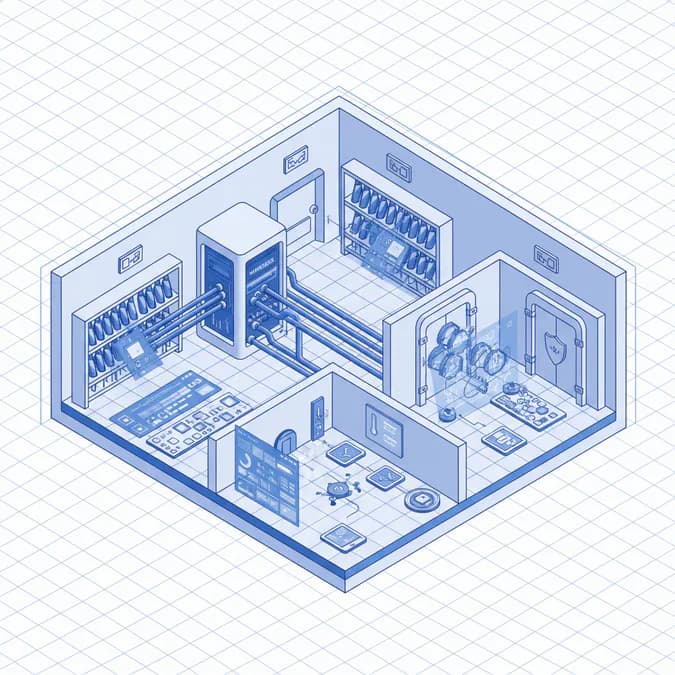
Wine collecting has evolved, and digital tools are now essential. Winebox 0.6.50 introduces OCR label scanning, streamlining wine cellar management. This article explores its features and the benefits of OCR in modern wine collecting.
Introduction
The world of wine collecting has moved far beyond simple spreadsheets. Today, sophisticated digital applications like Winebox are essential for both casual enthusiasts and serious collectors. The latest version, Winebox 0.6.50, introduces a game-changing feature: OCR (Optic
Features of Winebox
Winebox is a comprehensive wine cellar management application designed to simplify and enhance the wine collecting experience. Its key features include:
- Inventory Tracking: Keep a detailed record of your wine collection, including bottle count, vintage, producer, and location within your cellar.
- Tasting Notes: Record your impressions of each wine, including aroma, flavor, and overall rating. This helps you remember your favorite wines and track how they evolve over time.
- Storage Condition Monitoring: Track temperature and humidity levels in your cellar to ensure optimal storage conditions.
- Collection Valuation: Monitor the estimated value of your wine collection based on market prices and expert appraisals.
- OCR Label Scanning: The new OCR feature in Winebox 0.6.50 allows you to quickly and accurately digitize your wine collection by scanning the labels. This eliminates the need for manual data entry, saving you time and reducing errors.
Benefits of OCR in Wine Management
The integration of OCR technology into wine cellar management applications like Winebox offers several significant benefits:
- Automation: OCR automates the process of cataloging wine collections, converting label images into searchable digital data.
- Accuracy: By automatically extracting information from wine labels, OCR reduces the risk of manual data entry errors.
- Efficiency: OCR significantly speeds up the process of adding new wines to your collection, allowing you to focus on enjoying your wines rather than managing them. Dr. Michael Chen, Wine Technology Specialist at the International Wine Institute, notes, "OCR technology has revolutionized how collectors manage their cellars. What once took hours of manual data entry can now be accomplished in minutes with accurate label scanning."
- Searchability: Once your wine collection is digitized, you can easily search for specific wines by name, vintage, producer, or any other relevant criteria.
According to the Wine Collector Technology Survey 2026, 73% of wine collectors now use digital tools to track their collections, a significant increase from 45% in 2023. This demonstrates the growing importance of digital solutions in wine management.
The Future of Wine Management
The evolution of wine management software continues with exciting new developments:
- Smart Wine Labels: Premium winemakers are increasingly adopting QR codes and NFC-enabled labels that integrate with cellar management apps. These smart labels provide consumers with detailed vineyard data and tasting notes through their smartphones.
- AI-Powered Recommendations: A new generation of wine management software now includes machine learning algorithms that analyze user collections and suggest food pairings and investment opportunities.
The global wine management software market is projected to reach $2.3 billion by 2027, growing at a CAGR of 12.5%. This growth reflects the increasing demand for sophisticated tools that can help collectors manage their valuable wine assets.
Conclusion
Winebox 0.6.50, with its innovative OCR label scanning feature, represents a significant step forward in wine cellar management. By automating the process of cataloging wine collections, Winebox simplifies the lives of wine enthusiasts and professionals alike. As technology continues to evolve, we can expect even more exciting developments in the world of wine management, making it easier than ever to collect, track, and enjoy your favorite wines.
Key Takeaways
- Winebox 0.6.50 enhances wine cellar management through OCR technology.
- Automated cataloging saves time and reduces errors in wine tracking.
- Digital tools are becoming essential for modern wine collectors.
FAQ
What is wine cellar management?
Wine cellar management involves organizing and tracking your wine collection, including details like bottle count, vintage, and storage conditions.
How does OCR technology help in wine management?
OCR technology automates the process of cataloging wine collections by scanning labels and converting them into digital data, improving accuracy and efficiency.
Why is Winebox a good choice for wine collectors?
Winebox offers comprehensive features for inventory tracking, tasting notes, and storage condition monitoring, making it a reliable tool for both casual and serious wine collectors.